I've been running Home Assistant for a few years now. I've got 40 solar panels, three hybrid inverters, an EV in the garage, and enough sensors to make a weather station jealous. What I didn't have was a natural way to talk to my house. Sure, I could pull out my phone, open the HA app, and tap through menus. But when I'm walking through the living room with a bourbon in one hand, I don't want to fumble with a phone to turn off a lamp.
I wanted something simple: say a trigger phrase followed by a command and have it just happen. No Alexa. No Google. No cloud processing my voice. Everything local, everything under my control.
Here's how I built it.
The Hardware: An AI Wearable That Actually Works
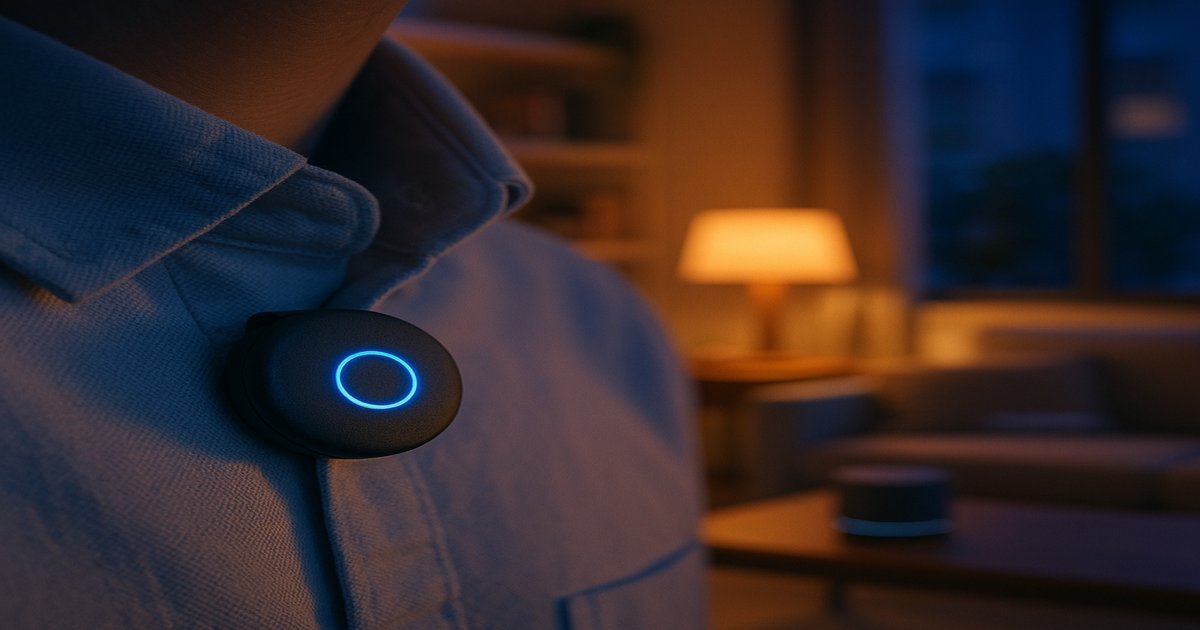
The Omi is a small AI wearable — roughly the size of a thick coin — that clips to your shirt or sits in your pocket. It captures audio through a tiny microphone, transcribes it on your phone via Bluetooth, and sends structured transcript data to a webhook URL you configure. Think of it as a continuous, ambient microphone that understands when you're talking and who's talking.
Out of the box, Omi is designed to be a personal AI companion — it summarizes your conversations, tracks action items, and builds a knowledge graph of your day. That's nice, but I had something different in mind. I wanted it to be the ears for my home automation system.
The key insight is that Omi sends structured webhooks for every conversation it captures. Each webhook includes transcript segments with speaker attribution, a structured summary with title and category, and action items if it detects any. That's a rich data stream I can intercept and route however I want.
The Architecture: Two Paths for Every Conversation
Every conversation the Omi captures hits my webhook server and gets routed one of two ways:
Path 1: Trigger Phrase — Voice Command Mode. If the transcript contains a configurable trigger phrase (mine is "Hey Brock," my AI assistant's name), the command gets extracted and sent to a local LLM. The LLM has access to real-time Home Assistant sensor data, a curated list of controllable devices, personal knowledge files, live sports scores, stock prices, and weather data. It either executes a device command (returns JSON that calls the HA REST API) or responds conversationally. Either way, the response gets posted to a notification channel and spoken aloud through an ESPHome voice satellite.
Path 2: Everything Else — Obsidian Journal. Any conversation that doesn't contain the trigger phrase gets logged as a daily journal entry in an Obsidian vault. The entry includes the speaker-attributed transcript, Omi's auto-generated summary, any action items, and a category tag. Over time, this builds a searchable archive of your day — meetings, phone calls, random thoughts you said out loud while debugging a Modbus register at midnight.
The beauty of this split is that the Omi captures everything, but only the intentional commands get routed to the AI. The rest becomes a passive record that syncs across your devices.
The Brain: A Local LLM With Personality
The LLM behind all of this is Google's Gemma 4 (the e4b variant, roughly 8 billion parameters) running locally through Ollama on a Mac Mini. At about 9GB of memory, it fits comfortably alongside everything else the machine runs. I give it a 16K token context window, which is more than enough for the persona, knowledge base, sensor data, and the user's command.
The persona matters more than you'd think. I didn't want a generic assistant that responds like a dashboard readout. I wanted character. My assistant has opinions, a dry wit, and a fondness for bourbon. He doesn't hedge or qualify. When you ask about the solar system, he gives you the numbers straight with a bit of personality. When you ask about a family member's birthday, he knows it because he has access to a personal knowledge base.
This personality layer is the difference between a tool and a companion. When you're talking to a disembodied voice in your living room, "The current PV output is 2,663 watts" feels clinical. "The solar array is cranking out 2,663 watts — we're capturing some serious juice today" feels like talking to someone who cares. One gets muted within a week. The other gets used daily.
The Context: What the Assistant Knows
Every time the assistant receives a command, the system prompt gets assembled from multiple sources:
Static knowledge files loaded from disk:
- A family reference — names, birthdays, relationships, upcoming events
- System specs — solar panel configuration, battery details, rate schedules
- A device map — every controllable device with its friendly name and Home Assistant entity ID
Real-time sensor data fetched from Home Assistant's REST API:
- Battery state of charge across multiple inverter banks
- Current solar PV production and daily totals
- Grid import/export and load consumption
- EV battery level, range, and charging state
- Weather conditions, temperature, humidity, wind speed
Conditional enrichment based on the command's keywords:
- Sports keywords trigger a live scores fetch
- Finance keywords trigger stock quotes
- General questions trigger a web search
All of this gets assembled into a single system prompt — about 1,300 tokens — leaving plenty of room for reasoning and response within the 16K context window.
The Magic: Device Control Through Natural Language
This is where it gets interesting. When you say your trigger phrase followed by "turn off the sofa lamp," here's what happens in about six seconds:
- Omi captures the audio, transcribes it on your phone, and sends a webhook to your server
- Reverse proxy forwards the webhook to a FastAPI server on the local network
- Trigger detection finds the wake phrase in the transcript and extracts the command
- Context assembly fetches real-time HA sensors, loads knowledge files, and builds the system prompt
- The LLM looks up "sofa lamp" in the device map, finds the matching entity, and returns structured JSON
- JSON parser extracts the service call and POSTs to the HA REST API
- Home Assistant turns off the lamp
- TTS sends the confirmation to the voice satellite via Piper
The critical piece that makes this work is the device map file. It's a simple markdown file that maps friendly names to entity IDs:
## Switches
switch.sofa_lamp = Sofa Lamp
switch.recliner_lamp = Recliner Lamp
switch.driveway_lights = Driveway Lights

## Fans
fan.ceiling_fan = Living Room Ceiling Fan
fan.office_fan = Office Fan

## Scenes
scene.bedtime = Bedtime
scene.good_morning = Good Morning
The LLM reads this list and matches the user's natural language to the correct entity. "Turn off the sofa lamp" matches switch.sofa_lamp. "Set the bedtime scene" matches scene.bedtime. The model handles variations, abbreviations, and partial matches because it's reasoning about the intent, not doing string matching.
Adding a new device is trivial — edit the markdown file and the change takes effect on the next voice command. No code changes, no redeployment, no retraining.
Security Considerations
Any internet-facing webhook that can control your home deserves serious thought. Without protection, anyone who discovers your webhook URL could inject fake transcripts and control your devices.
Webhook authentication. The webhook validates a secret token embedded in the URL path. Requests without the correct token get a 404 — they can't even tell the endpoint exists.
Command allowlisting. The device map is curated, not auto-generated. Only devices I explicitly add are controllable. The LLM can't invent entity IDs. Sensitive devices like locks and garage doors can simply be excluded from the map.
Action logging. Every command gets logged with a timestamp and posted to a notification channel. If someone managed to inject a command, I'd see it immediately.
Tunnel isolation. The reverse proxy only exposes the webhook endpoint, not the rest of the home network. The FastAPI server only accepts POST requests to the authenticated path.
The Journal: Ambient Life Logging
The other half of the system is quieter but arguably more valuable over time. Every conversation that doesn't contain the trigger phrase gets written to a daily Obsidian note with the transcript, summary, action items, and category.
Over time, this builds a searchable archive of your day. What did we talk about at dinner last Tuesday? What was that idea I had while walking the dog? When did we decide to switch to drip irrigation? It's all there, timestamped, speaker-attributed, and categorized.
The notes sync through iCloud to my phone and iPad, so I can search them from anywhere.
What I Learned
Small models are good enough for home automation. An 8B parameter model handles entity matching, conversational responses, and light reasoning about commands. You don't need a frontier model to turn off a lamp. A model that runs in 9GB of RAM and responds in under three seconds is perfect for this use case.
Personality makes voice interfaces tolerable. I spent more time tuning the assistant's persona than I expected, and it was worth every minute. A voice assistant that speaks like a dashboard readout gets muted within a week. One that has character gets used daily.
The knowledge base should be files, not code. Every piece of context the assistant uses — personal data, device lists, system specs — lives in plain markdown files that get loaded dynamically. When I add a new light switch, I edit a text file. The code never changes. This separation of knowledge from logic is the single best architectural decision in the entire system.
Transcription errors are inevitable — design around them. The Omi regularly mistranscribes the wake word. My trigger regex handles multiple common misspellings. Fuzzy matching on the trigger phrase is essential for any voice-activated system that relies on third-party transcription.
Local LLMs need their thinking mode. I initially disabled the model's internal reasoning to get faster responses. It worked for simple questions but broke device control — the model couldn't reason about which entity matched "the lamp by the sofa" without thinking through the device list first. The solution was to leave thinking enabled and handle the occasional empty-content edge case with a fallback parser.
Secure your webhooks. Any internet-facing endpoint that controls physical devices needs authentication, logging, and a curated allowlist. Don't expose your full entity registry to a language model that accepts input from the internet.
What's Next
The obvious next step is bidirectional conversation. Right now, each command is stateless. Adding conversation memory would let me say "turn off the sofa lamp" followed by "and the recliner lamp too" without repeating context.
I'm also looking at adding voice satellites to more rooms. The ESPHome hardware is cheap — an ESP32-S3 with a speaker and mic runs about $15 in parts — and Piper TTS runs locally with minimal latency.
But honestly? The system as it stands today does exactly what I wanted. I walk into the living room, say the wake phrase followed by a command, and things happen. I ask about the solar production and get a confident answer with real numbers. I ask about a family member's birthday and get the right date. All local, all private, all running on hardware I own.
That's the dream. A house that listens when you talk to it, remembers what you said, and does what you ask — without sending a single byte to someone else's cloud.